
Total System Health is reader‑supported. When you purchase through links on our site, we may earn an affiliate commission at no additional cost to you. For more details, please see our Privacy Policy.
The Emporia Vue 3 is the better choice for most homeowners — polished app, indefinite cloud history, native solar net metering, and the easiest setup path of any 16-circuit monitor on the market. At $199.99, it pays for itself in under 12 months for the average household running two or more undetected vampire loads. The Refoss EM16 is the better choice for privacy-first homeowners and Home Assistant users — 100% local data processing, 36-month on-device history, zero cloud dependency, and deep two-way integration with Home Assistant automations that the Emporia cannot match. Both are ±1% accurate, both are NRTL-certified for insurance compliance, and both monitor 16 circuits simultaneously. The decision comes down to one question: do you want your energy data in the cloud or on your local network?
This guide covers every spec that matters, the real ROI math on vampire load elimination, the installation pitfalls that kill both devices’ performance, and a verdict for every type of homeowner — so you buy the right diagnostic tool the first time.
System Synergy: Managing your energy is the third pillar of a healthy home, following Water Purity and Indoor Air Quality.
What an Energy Monitor Actually Does (The “Brain” Logic)
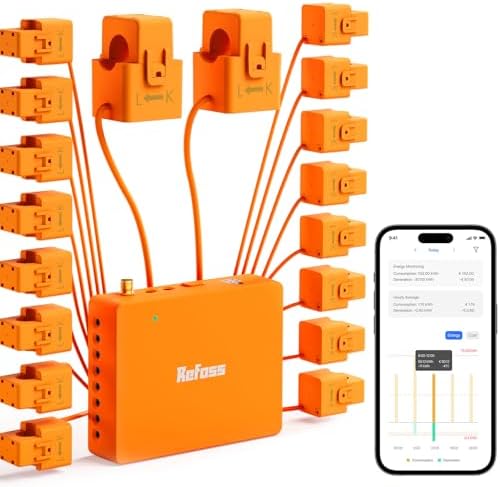
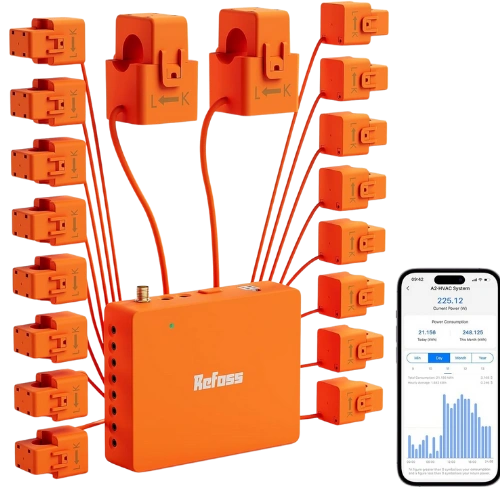
An energy monitor is a sensing device that uses Current Transformer (CT) clamps. These snap around the individual circuit wires in your electrical panel, measuring the magnetic field to calculate real-time power consumption.
Without this granularity, you are guessing. You might know your bill is high, but you won’t know that an aging garage refrigerator is drawing excessive power 24/7, or that a “vampire load” is adding $10 to your bill every month while devices are “off.”
Accuracy: The Margin of Error That Costs You
Not all sensors are equal. Most monitors are rated between 0.5% and 2.0% accuracy.
- A 2% error margin on a 75-watt load (like a modem/router) can obscure nearly $100 in waste per year.
- Investment-grade accuracy (closer to 1.0%) is essential for homeowners serious about long-term ROI and making data-driven decisions.
Emporia Vue 3 vs. Refoss EM16: The Comparison
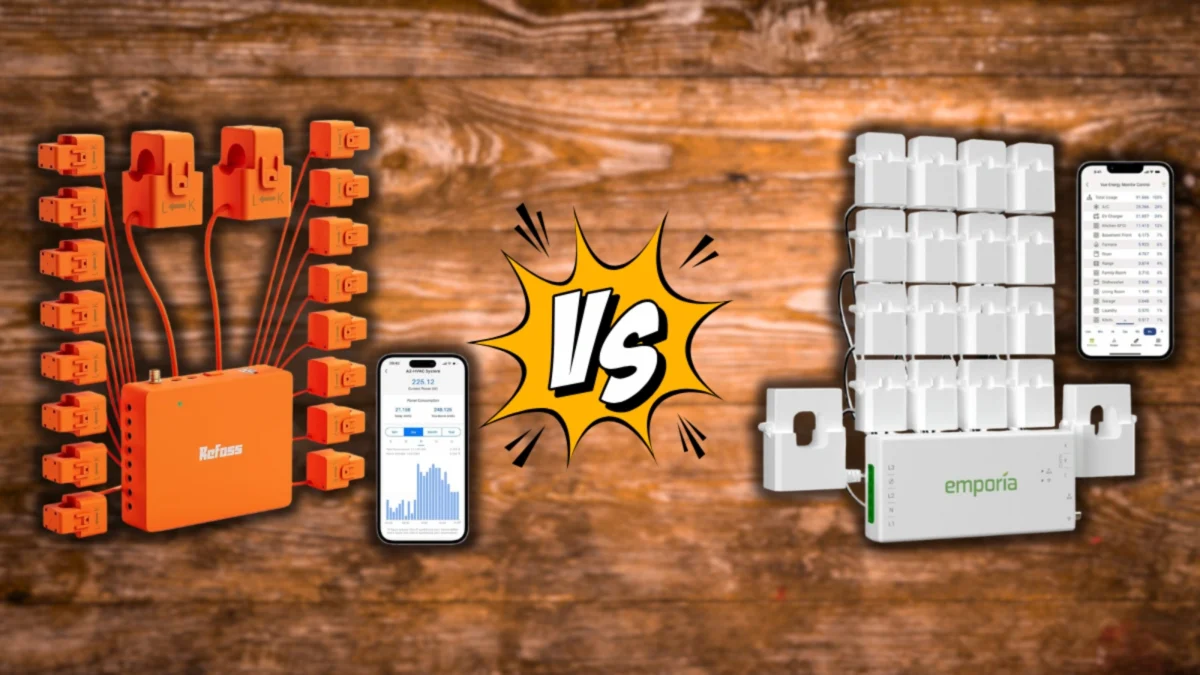
In this Emporia Vue 3 vs Refoss EM16 breakdown, accuracy, data control, and real-world ROI matter more than marketing promises.
| Feature | Emporia Vue 3 | Refoss EM16 (Gen 2) |
|---|---|---|
| Price | $199.99 | $199.99 |
| Circuits Monitored | 16 branch circuits | 16 branch circuits |
| Accuracy | ±1% (UL Listed) | ±1% (ETL Certified) |
| Connectivity | Cloud via Wi-Fi | Local LAN only — no cloud |
| Data Storage | Unlimited cloud history | 36 months on-device |
| Data Granularity | 1-second real-time | 1-second real-time |
| App | Emporia app (iOS + Android) — 4.4★ | Refoss app + Home Assistant |
| Home Assistant Integration | ✅ Via HACS integration | ✅ Native, first-class support |
| Solar / Net Metering | ✅ Native net metering built-in | ✅ CT-based solar monitoring |
| Alexa / Google Integration | ✅ Alexa + Google Home | ❌ Local only |
| Works Offline | ❌ Requires internet | ✅ Full function offline |
| Smart Plug Integration | ✅ Emporia Smart Plugs (auto vampire kill) | ❌ Manual only |
| Setup Difficulty | Easy — guided app setup | Moderate — requires network config |
| Safety Certification | UL Listed (NRTL) | ETL Certified (NRTL) |
| Insurance Compliance | ✅ Equivalent | ✅ Equivalent |
| Data Privacy | Cloud-stored (Emporia servers) | 100% local — never leaves your network |
| Best For | App-first, solar, smart home | Privacy, Home Assistant, offline resilience |
Quick Price Check: Emporia Vue 3 vs Refoss EM16

Installation Reality: Avoiding the “Bird’s Nest”
As identified in our [Sustainable Tech Analysis], the biggest “System Failure” isn’t the software—it’s the Electrical Panel.
1. Panel Space and Wire Clutter
Both systems use up to 16 branch CTs. In a full panel, this creates a “bird’s nest” of wires.
- The Risk: Messy wiring can impair airflow (a fire safety concern) and lead to inaccurate readings.
- Pro Tip: Budget for an electrician to “tidy” your panel before installing. A clean panel is a healthy panel.
2. The Critical “Antenna Mounting Fail”
A metal electrical panel is a Faraday cage—it blocks Wi-Fi signals perfectly.
- The Mistake: Users install the hub inside the panel, close the door, and the monitor “dies.”
- The Solution: You must route the included antenna extension through a panel knockout and mount it externally. If your panel is in a remote basement, you will likely need a Wi-Fi mesh extender to maintain a stable “System Pulse.”
The Vampire Load Hook: Pay for the Device in 20 Months
The fastest way to get an ROI is by killing Vampire Loads—devices that draw power even when “off.”
The Math of a Single Fix:
- Problem: One old Audio/Video receiver drawing ~75 watts on standby.
- Monthly Cost: ~$8.10.
- Annual Cost: $97.20.
- ROI: Identifying just two vampire loads pays for the Emporia or Refoss monitor in less than a year.
Which System Fits Your “System Health” Philosophy?
Emporia Vue 3: The “Mainstream Infrastructure” Choice
Check Emporia Vue 3 Price on Amazon
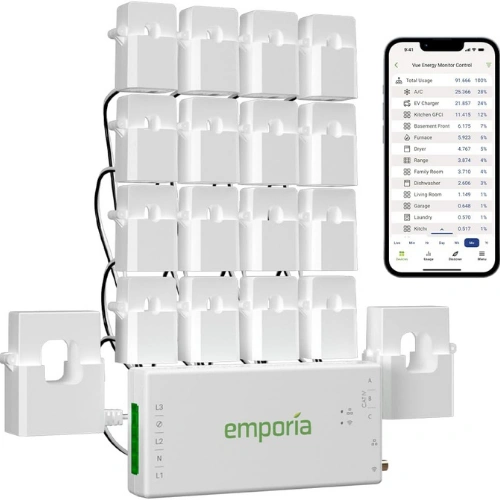
The Emporia is for the homeowner who wants results without a computer science degree. It offers a polished app, indefinite cloud history, and integrates with Emporia Smart Plugs to “kill” those vampire loads automatically.
- Tradeoff: Your data lives in the cloud. If your internet goes down, your monitoring stops.
Refoss EM16: The “Digital Purity” Choice
Check Refoss EM16 (Gen 2) Price on Amazon
The Refoss is for the “Total System Health” enthusiast who values Privacy. It communicates locally over your LAN and stores 3 years of data on the device itself.
- Tradeoff: It is harder to set up. To get the most out of it, you need to be using Home Assistant.
5-Year ROI Math: Monitoring vs. The Status Quo
| Investment | Calculation | 5-Year Total |
| Initial System Cost | Monitor + Electrician Pro-Install | ~$400 |
| Annual Electric Bill | Baseline ($150/mo) | $9,000 |
| Realistic Savings | 7% reduction (via data) | -$630 |
| Net Position | Savings – Cost | +$230 Profit |
Conclusion: Over five years, the monitor pays for itself and then “funds” your next home health upgrade, such as Reducing Indoor Air Pollutants.
Safety and Insurance: UL vs. ETL
In your PDF analysis, we noted that “Insurance Compliance” is a top concern.
- Emporia Vue 3 is UL Listed.
- Refoss EM16 is ETL Certified.
- The Verdict: Both are Nationally Recognized Testing Laboratories (NRTLs). For home insurance and electrical code purposes, they are equivalent. Neither will void your insurance as long as they are installed according to the manual.
Final Verdict: Which Home Energy Monitor Is Right for You?
You want the simplest setup and the best app experience: The Emporia Vue 3 is your answer. Download the app, follow the guided installation, and you are monitoring all 16 circuits within an afternoon. The Emporia app’s historical data visualization, bill forecasting, and Alexa integration make it the most accessible home energy monitor available at this price point. For the majority of homeowners who want to set up once and check in periodically, the cloud dependency is a non-issue — it is the same model as every smart thermostat and security camera you already own.
You have solar panels or plan to add them: The Emporia Vue 3 is the stronger choice. Its native net metering support tracks exactly what you are exporting to the grid, what you are importing, and what your solar system is producing — all in a single unified view. The Refoss handles solar via CT monitoring but requires more manual configuration to produce the same clean data picture.
You use Home Assistant or plan to: The Refoss EM16 is purpose-built for this. Its local LAN communication means it integrates with Home Assistant natively and reliably — no cloud webhook workarounds, no API rate limits, no data leaving your network. You can build automations that respond to real-time circuit-level consumption data: shut off a smart plug when a circuit exceeds a threshold, trigger an alert when the HVAC draws more than its baseline, or log consumption to a local database for long-term analysis. The Emporia works with Home Assistant via HACS but the integration is cloud-dependent and less reliable.
Data privacy is a non-negotiable for you: The Refoss EM16 is the only choice in this comparison. Every watt you measure stays on your local network and on the device’s 36-month internal storage. Emporia’s cloud model means your energy consumption data — which reveals your daily schedule, occupancy patterns, and appliance usage — is stored on third-party servers. For homeowners who treat digital privacy as part of their overall home health system, the Refoss is the correct tool.
Your internet connection is unreliable: The Refoss EM16 continues monitoring, storing, and serving data locally regardless of your internet status. The Emporia goes dark when your connection drops — monitoring stops and no data is recorded during the outage. For rural homes, homes with frequent outages, or anyone who considers continuous monitoring non-negotiable, the Refoss’s offline resilience is a decisive advantage.
You are buying your first home energy monitor and want the lowest-friction path to ROI: The Emporia Vue 3 gets you to vampire load identification faster. Its app surfaces high-consumption circuits immediately, its smart plug integration allows you to kill identified loads with a tap, and its bill forecasting feature makes the financial case for every change you make visible in real time. For the homeowner whose primary goal is reducing their electricity bill rather than building a local data infrastructure, the Emporia delivers that outcome with less friction.
Stop guessing about your home’s health. Start scanning it.
Frequently Asked Questions: Emporia Vue 3 vs Refoss EM16
Is the Emporia Vue 3 or Refoss EM16 more accurate?
Both the Emporia Vue 3 and Refoss EM16 are rated at ±1% accuracy and both carry NRTL safety certifications — UL Listed for the Emporia and ETL Certified for the Refoss. For practical home energy monitoring purposes, they are equivalent in accuracy. The ±1% margin means on a 75-watt load running 24/7, the maximum measurement error is less than $9 per year — well within acceptable range for both vampire load detection and long-term ROI tracking. Neither device has a meaningful accuracy advantage over the other at this price point.
Does the Refoss EM16 work without Home Assistant?
Yes — the Refoss EM16 functions as a standalone local energy monitor without Home Assistant. It has its own app (available for iOS and Android) that displays real-time circuit data, historical consumption, and solar monitoring without requiring any smart home platform. Home Assistant integration is optional but unlocks the full power of the device: real-time automations, custom dashboards, long-term data logging to external databases, and circuit-level triggers for other smart home actions. If you do not use Home Assistant, the Refoss still delivers complete local monitoring — you simply use the Refoss app instead.
How long does it take to install a home energy monitor?
Both the Emporia Vue 3 and Refoss EM16 require installation inside your electrical panel, which involves working near live mains voltage. For a licensed electrician, installation typically takes 1–2 hours. For a confident DIYer with basic electrical knowledge, the physical installation takes 2–3 hours — the majority of the time is routing and clipping the 16 CT clamps onto individual circuit wires, not the actual device wiring. The critical installation requirement for both devices is antenna placement: the hub must be positioned with its antenna outside the metal panel enclosure, which acts as a Faraday cage and blocks Wi-Fi entirely if the antenna is sealed inside. Budget $100–$200 for professional installation if you are not comfortable working in an energized panel.
What is a vampire load and how much does it cost?
A vampire load — also called a standby load or phantom load — is the electricity consumed by a device when it is switched off or in standby mode. Common sources include older audio/video receivers (40–80 watts on standby), desktop computers and monitors left on sleep mode, cable boxes and DVRs (15–30 watts continuously), older gaming consoles, and any device with a clock display or remote control receiver. A single 75-watt vampire load running 24/7 costs approximately $97 per year at the U.S. average electricity rate of $0.16/kWh. Most homes have 3–6 significant vampire loads. Identifying and eliminating two medium-sized vampire loads pays for either energy monitor in under 12 months — making the device effectively free within its first year of operation.
Can a home energy monitor detect HVAC problems?
Yes — this is one of the most valuable applications of a 16-circuit energy monitor for the Total System Health framework. Your HVAC system draws a predictable baseline wattage when operating normally. As components age, wear, or fail, their electrical draw changes: a failing capacitor causes the compressor to draw more current on startup, a dirty air filter increases fan motor load, and refrigerant loss causes the compressor to run longer and draw more cumulative power per cooling cycle. By establishing a baseline power profile for your HVAC circuit in the Emporia or Refoss app, you can detect anomalous consumption increases that indicate developing mechanical problems — often weeks before the system fails completely. This is the diagnostic scan function that makes a home energy monitor a genuine home health infrastructure investment rather than a bill-tracking gadget.